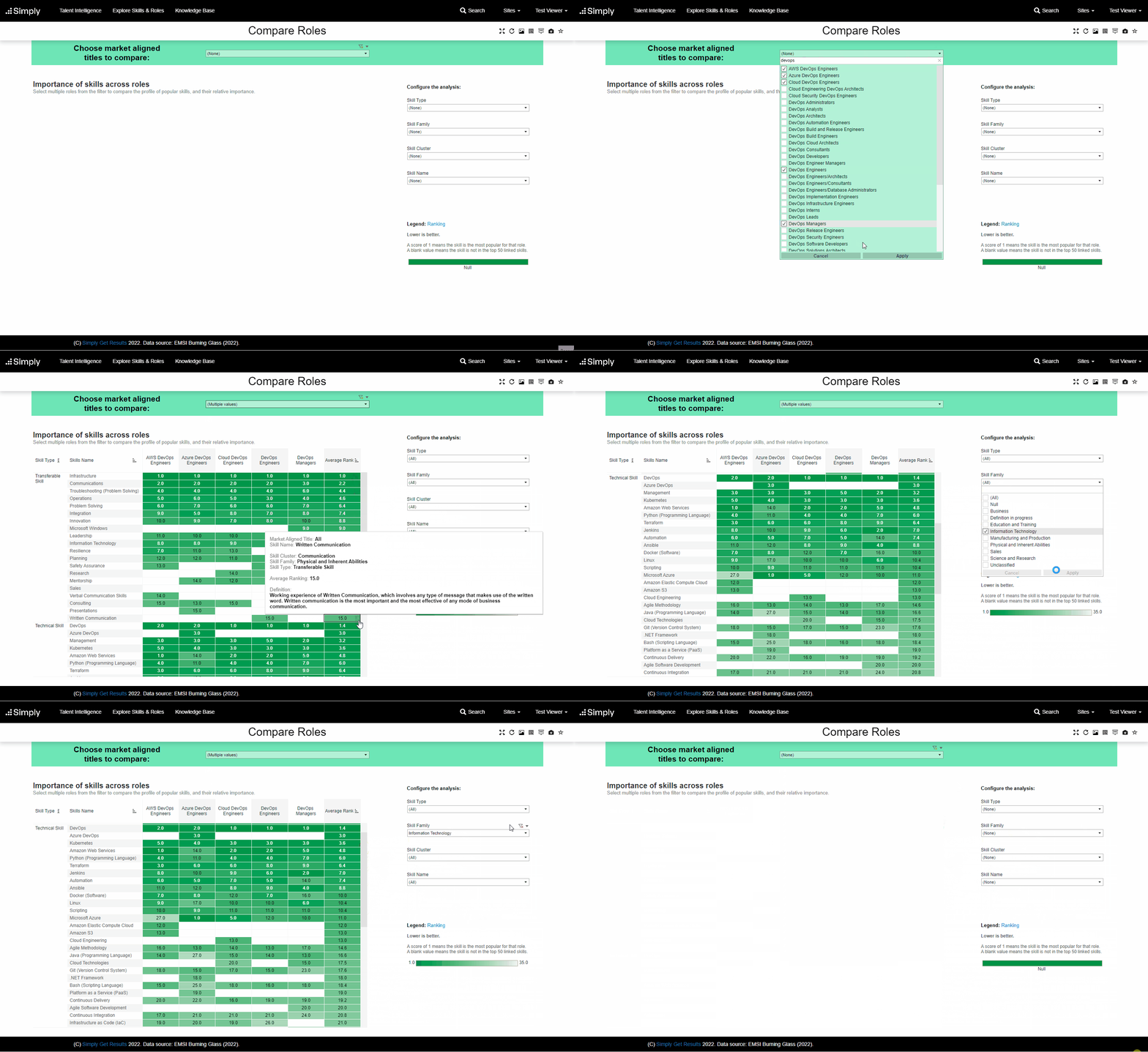
There are many different reasons you might wish to review the skills of several roles side by side in the same screen. For example to:
- Identify which title would be the best fit for the job you wish to advertise
- Review the skill make-up of a team
- Consider how different roles are similar or different
- Review the mapping of your internal job titles to Simply's Market Aligned Titles
Whatever the reason, the 'Compare Roles' view is the quickest way to see the most common skills required for several roles at once. This view uses the same data form the labour market as the 'Role Profile' screen, with a handy table visual to help you explore similarities and differences easily.
When opening the screen, no information will be displayed. You must select one or more roles from the drop down box in the green filter bar. After clicking apply, the visual will be displayed.
How to interpret the chart
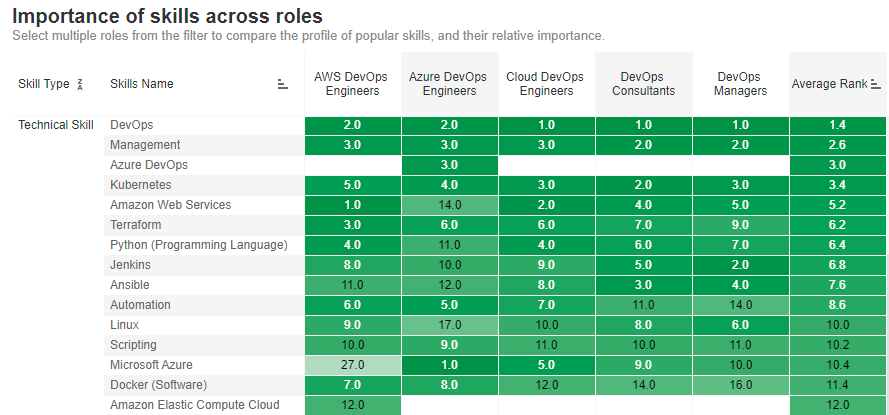
The chart shows which skills overlap between roles and how popular each skill is within a role. In the below example, you can see that the skill of 'DevOps' appears in all five selected roles. You can also see that it is the 1st or 2nd most important skill in each role, as indicated by the numbers (a lower number means more popular/important to the role).
You can also see that the skill of 'Azure DevOps' is unique to the 'Azure DevOps Engineers' role, as it is shown as blank in the others. A blank value indicates the skill is not part of the 50 most popular skills in the labour market for that role, i.e. it does not appear in the 'Role Profile' for that Market Aligned Title.
The below video demonstrates how to use the 'Compare Roles' view to analyse similar roles to each other. You can see that:
- Skills are displayed in the rows and are grouped by Skill Type (Transferable vs Technical)
- The selected Roles (Market Aligned Titles) are displayed in the columns
- A rank of how important/popular each skill is to the role is shown in the cell, and the average rank of importance/popularity is shown in the final column: 1 means most popular
- A maximum of 15 transferable skills and 35 technical skills will be displayed
- The colouring indicates the ranking, with a darker colour indicating a relatively more important/popular skill and a lighter colour indicating a less important/popular skill
- Then analysis can be configured using the filters to the right, allowing different skills to be included or excluded from the visual
- Hovering over a cell will show you further information about the skill